


Adding your event to the South Asian Heritage Month calendar takes a few minutes. Follow these steps to register, log in and submit your event for review.
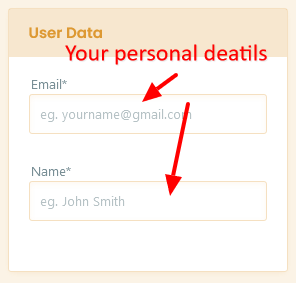
You need a free account to submit events. Registering takes under two minutes with just a name and email address. Once registered you will receive a confirmation email to activate your account.
Check your spam folder if the confirmation email does not arrive within a few minutes.
Register for FreeOnce registered, log in with your email address and password. Your dashboard gives you access to the event submission form and lets you track and edit your submissions.
Use the Lost Password link on the login page if you need to reset your password.
Once logged in, go to your dashboard and click Add New Event. Follow the steps below to complete and submit your event for review.
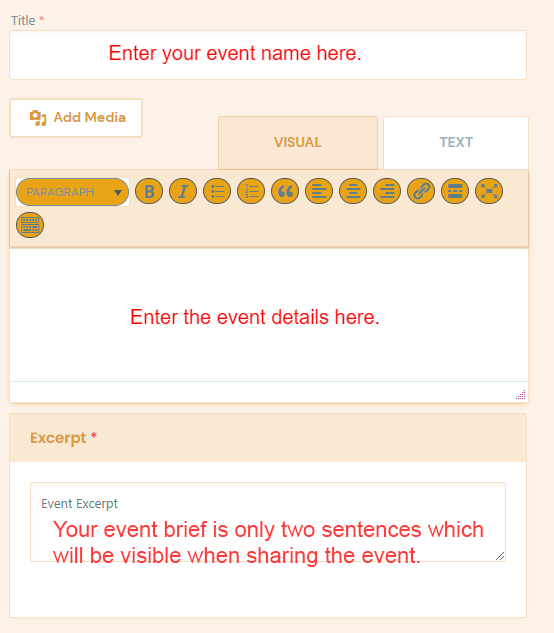
Give your event a clear, descriptive title. In the description, explain what the event is about, who it is for, and what people can expect. The more detail you include, the more likely your event is to be approved.
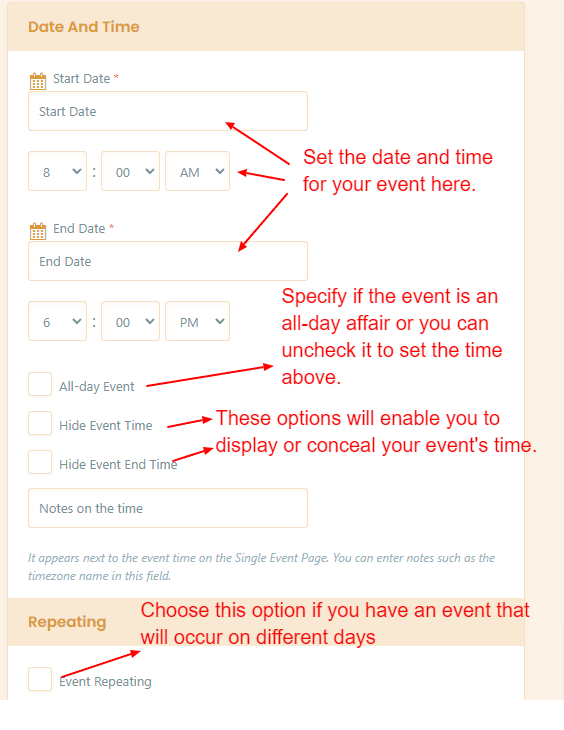
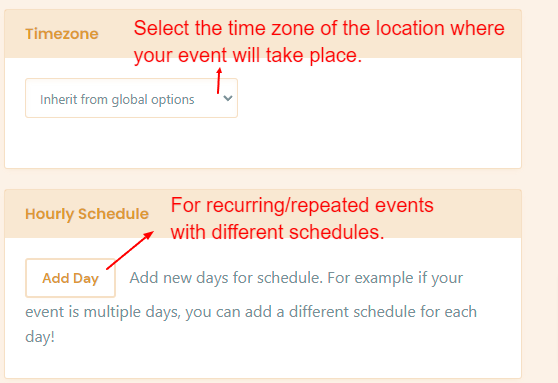
Select the date, start time and end time for your event. If it runs across multiple days, use the recurring event options. Make sure your times are correct before submitting.
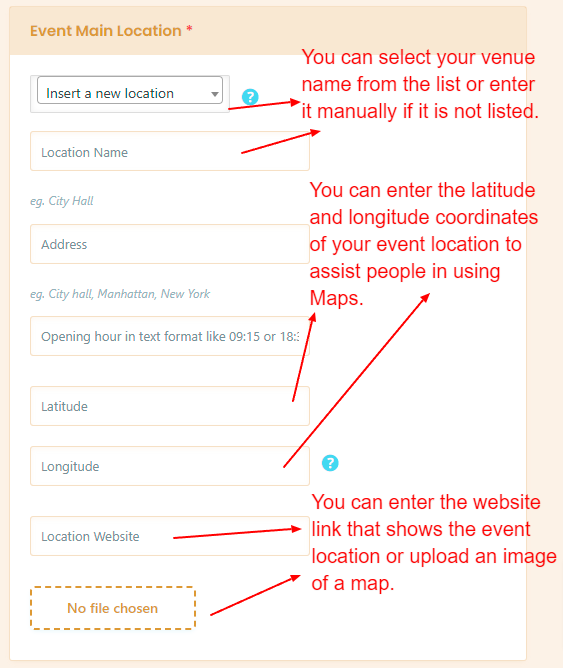
Enter the venue name and full address. If your event is online, select the online event option and add the link. A clear location helps people find your event easily.
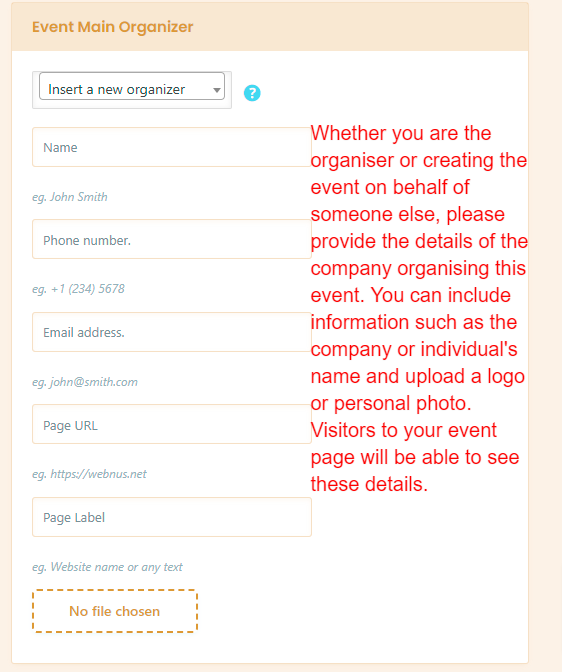
Enter the name and contact details of the event organiser. This is shown publicly on the event listing so attendees know who to contact with questions.
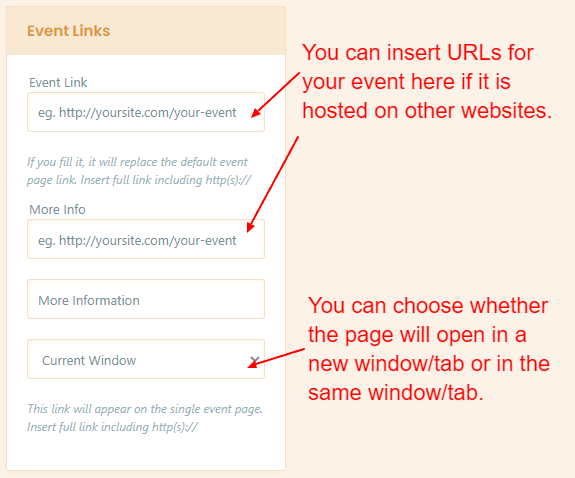
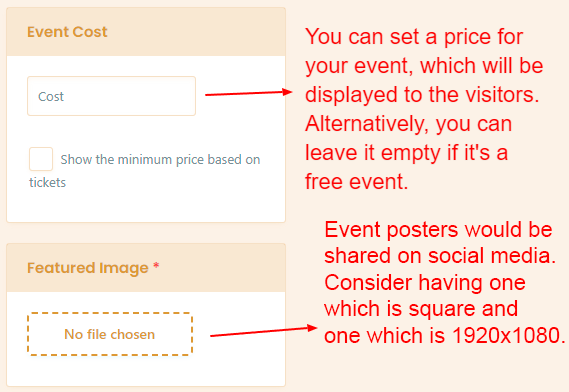
If your event requires booking or has a ticket link, add it here. This can be a link to Eventbrite, your own website, or any other booking platform. Leave blank if the event is free and no booking is required.
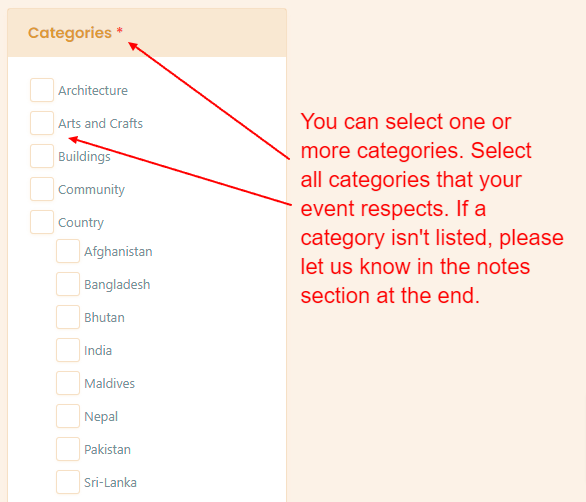
Choose the category that best fits your event. This helps people browsing the calendar find events relevant to them. Select all categories that apply.
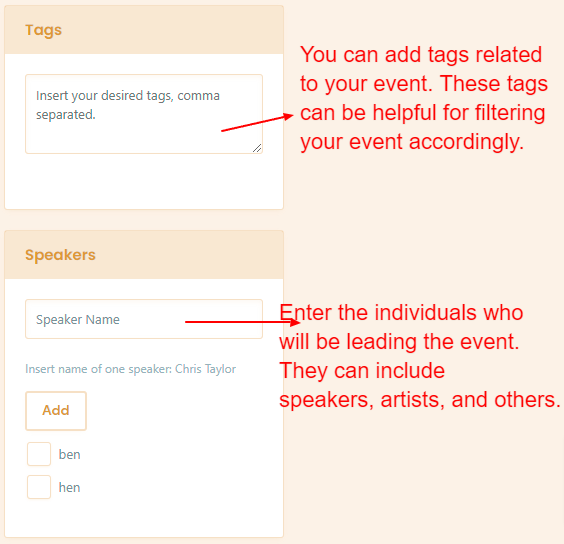
Tags help people discover your event through search. Add relevant keywords such as the type of event, themes, communities or artists involved.
A featured image is required. Events without one will not be approved. Upload a high quality image at least 1200 x 630px, maximum 2MB, in JPG, PNG or WebP format. Only use images you own or have permission to use.
Before submitting, scroll through your event and check all the details are correct including the date, time, location, description and image. You can edit your event after submission if needed.
When you are happy with your event, click Submit for Review. Your event will be checked by the SAHT web team. Once approved it will appear on the SAHM events calendar. You will receive an email notification when it goes live.

Your event title should be descriptive and specific. Avoid vague titles like "Heritage Event" and use something people will immediately understand and search for.
Events without a featured image will not be approved. Minimum 1200 x 630px, maximum 2MB. JPG, PNG or WebP. Avoid text-heavy images as they do not display well on mobile.
Tell people how to attend. Is it free? Does it require booking? Add a direct link to your booking page so people can act immediately.
Make sure your dates and times are correct before submitting. Events with incorrect dates will be returned for correction before they go live.
All events are reviewed by the SAHT web team. Submit your event at least a few days before you want it to go live to allow time for review and any corrections.
Contact us at web@southasianheritage.org.uk and we will be happy to help with your submission.
Join thousands of organisers listing their South Asian heritage events on the UK's largest dedicated calendar. Your event belongs here.